
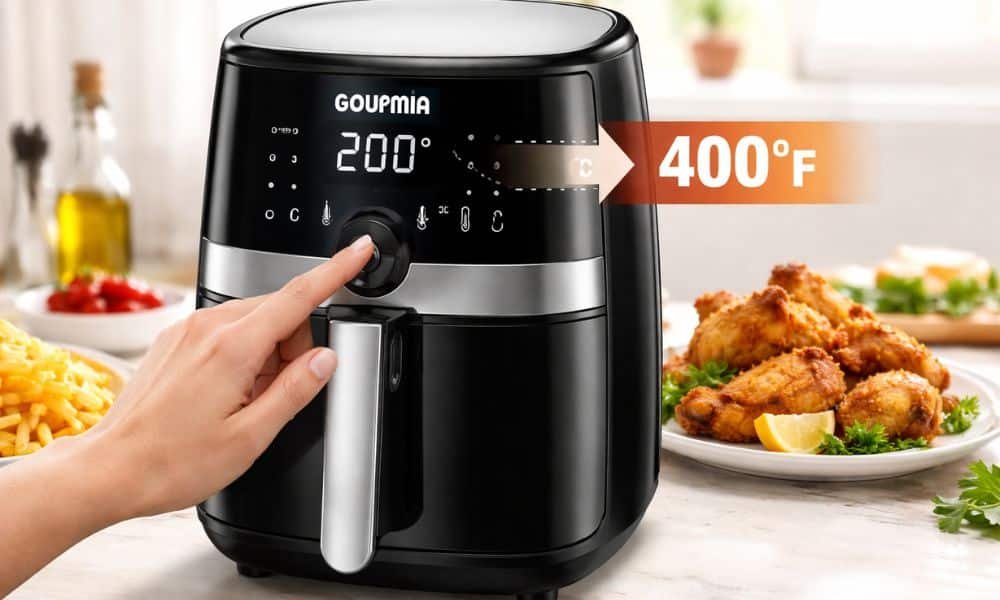
A new air fryer feels great until the screen shows °C instead of °F. I had the same problem and searched for how to change gourmia air fryer to fahrenheit. Most U.S. recipes use Fahrenheit, so the numbers felt confusing at first.
My gourmia air fryer gaf1220 showed Celsius on day one. After a simple setting change, cooking felt much easier. This quick guide shares the same steps so you can switch the unit and use your air fryer with confidence.
Why Some Gourmia Air Fryers Show Celsius Instead of Fahrenheit
Many Gourmia air fryers show Celsius because the factory sets it as the default. The brand sells products worldwide, so Celsius works as a common standard.
Some models also arrive from international batches. The display then keeps the original factory setting.
I remember seeing 200 on the screen while my recipe said 400. The numbers looked confusing at first. A quick setting change fixed the problem and cooking felt normal again.
Step-by-Step Guide to Change Gourmia Air Fryer to Fahrenheit
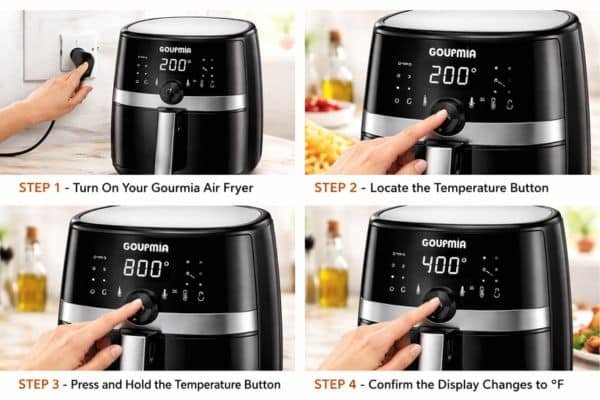
Step 1 – Turn On Your Gourmia Air Fryer
Start by plugging the air fryer into a power outlet. Press the power button on the control panel. The screen lights up and shows the current temperature unit. Most displays show Celsius or Fahrenheit beside the numbers.
Step 2 – Locate the Temperature or Menu Button
Look at the front control panel of the air fryer. Most Gourmia models place the temperature icon near the center of the panel. The icon often looks like a small thermometer or heat symbol. That button controls temperature settings and unit changes.
Step 3 – Press and Hold the Temperature Button
Press and hold the temperature button for a few seconds. The display then switches between Celsius and Fahrenheit. Many Gourmia units change the unit after three to five seconds. The numbers on the screen adjust right away.
Step 4 – Confirm the Display Changes to °F
Look closely at the display after the change. The small letter beside the number should now show °F. That symbol confirms the air fryer now uses Fahrenheit. Cooking temperatures now match most American recipes.
How to Change Celsius to Fahrenheit on Gourmia Air Fryer GAF1220
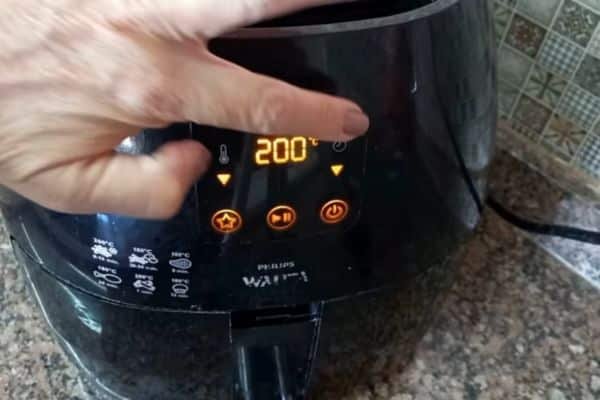
The Gourmia air fryer GAF1220 uses a simple digital control panel. The display sits at the top of the unit with touch buttons below it. Temperature and timer icons appear clearly on the screen.
Start by pressing the power button to activate the panel. Touch the temperature icon once to highlight the temperature control. A long press on that same button switches the unit from Celsius to Fahrenheit.
The display updates instantly after the change. The number beside the temperature now shows the °F symbol. Cooking settings then match standard air fryer recipes used across the United States. You can also read our Gourmia Air Fryer Review to learn more about its features, cooking performance, and everyday usability.
How to Use a Gourmia Air Fryer After Changing the Temperature Unit
Cooking becomes easier once the display shows Fahrenheit. Most American air fryer recipes use that scale. The temperature numbers now match common cooking guides and online recipes.
Start by selecting the cooking temperature on the control panel. Set the timer next so the food cooks for the correct length of time. Many foods such as fries, chicken, and vegetables cook well around 360 to 400 degrees Fahrenheit.
A short preheat also helps improve texture. Two to three minutes of warm-up allows the basket to reach cooking heat. That step helps fries turn crisp and chicken cook evenly.
My own meals improved after the display switched to Fahrenheit. Recipe numbers now matched the screen without mental math. Cooking felt smooth and predictable instead of confusing.
Common Problems When Changing Temperature Units
Display Does Not Switch Units
Some displays do not change right away. The temperature button may need a longer press. Hold the button for five seconds and watch the display. The unit should switch between Celsius and Fahrenheit.
Button Not Responding
Touch panels sometimes react slowly during the first use. Clean hands and a dry control panel help improve response. A light tap works better than pressing hard on the screen.
Air Fryer Keeps Returning to Celsius
A power reset can solve this issue. Turn off the air fryer and unplug it for about one minute. Plug the unit back in and repeat the temperature change process.
Helpful Temperature Conversion Guide for Air Fryers
Many air fryer recipes in the United States use Fahrenheit. Some cooking charts still use Celsius. A simple conversion guide helps bridge that gap.
| Celsius | Fahrenheit |
| 160°C | 320°F |
| 180°C | 356°F |
| 200°C | 392°F |
Fahrenheit often feels easier for U.S. recipes because most cooking guides follow that scale. Recipe books, food blogs, and packaging labels usually list temperatures in Fahrenheit.
My Personal Experience Using a Gourmia Air Fryer
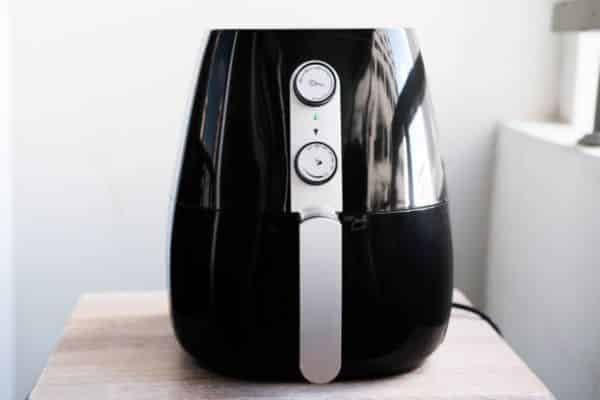
My first meal with a Gourmia air fryer felt exciting. A batch of chicken wings waited in the basket. The control panel showed numbers that looked unfamiliar.
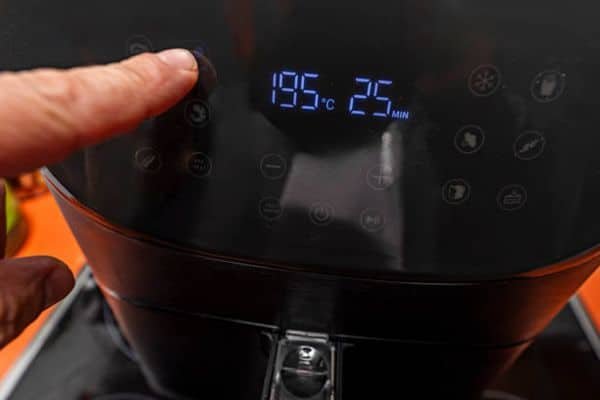
The display showed Celsius instead of Fahrenheit. A recipe called for 400 degrees, yet the screen displayed numbers around 200. That moment felt like reading a recipe in a different language.
A quick button press solved the issue. The display switched to Fahrenheit and the recipe numbers finally matched. Cooking then felt simple and natural.
The wings came out crisp and golden that night. That small setting change turned confusion into confidence.
Tips for Getting the Best Results with Gourmia Air Fryers
Good air fryer meals depend on airflow. Leave space around the food inside the basket. Air moves freely and creates a crisp texture.
Shake the basket halfway through cooking. Fries and vegetables cook more evenly with that quick movement. Even heat reaches every side of the food.
A short preheat also improves results. Warm air circulates before food enters the basket. That step helps create a better crust on many foods.
Correct temperature settings make the biggest difference. Recipes usually work best between 360 and 400 degrees Fahrenheit.
Final Thoughts
A Gourmia air fryer becomes much easier to use after switching the temperature display to Fahrenheit. Recipes match the numbers on the screen, and cooking feels more natural.
A simple button press solves the issue in seconds. After that small adjustment, the air fryer works like any standard kitchen appliance. Crispy fries, juicy chicken, and roasted vegetables become easy, everyday meals.
FAQs
How do I change my Gourmia air fryer from Celsius to Fahrenheit?
Turn on the air fryer and find the temperature button on the control panel. Press and hold it for a few seconds. The display switches from °C to °F.
Why does my Gourmia air fryer show Celsius?
Many Gourmia air fryers come with Celsius as the factory default. The brand sells products worldwide, so this unit appears on many models.
Does the Gourmia air fryer GAF1220 support Fahrenheit?
Yes. The Gourmia air fryer GAF1220 supports both Celsius and Fahrenheit. A long press on the temperature button changes the display unit.